Yahoo Mail Today Tab

Yahoo Mail Today Tab

Yahoo Mail Today Tab

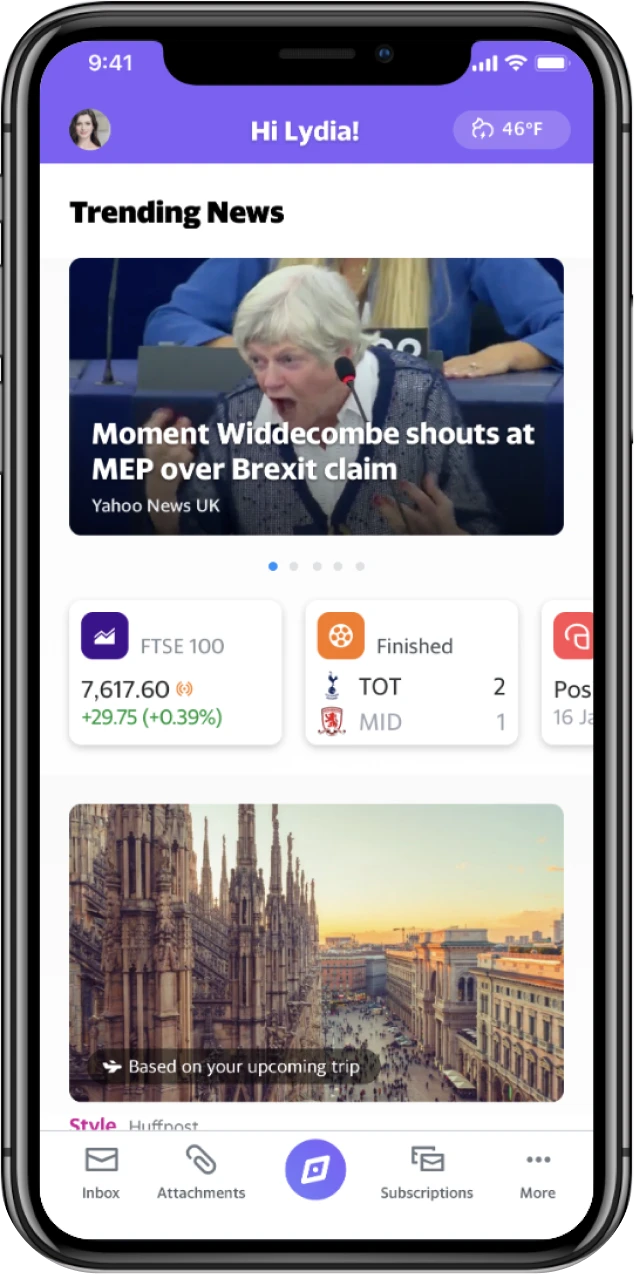
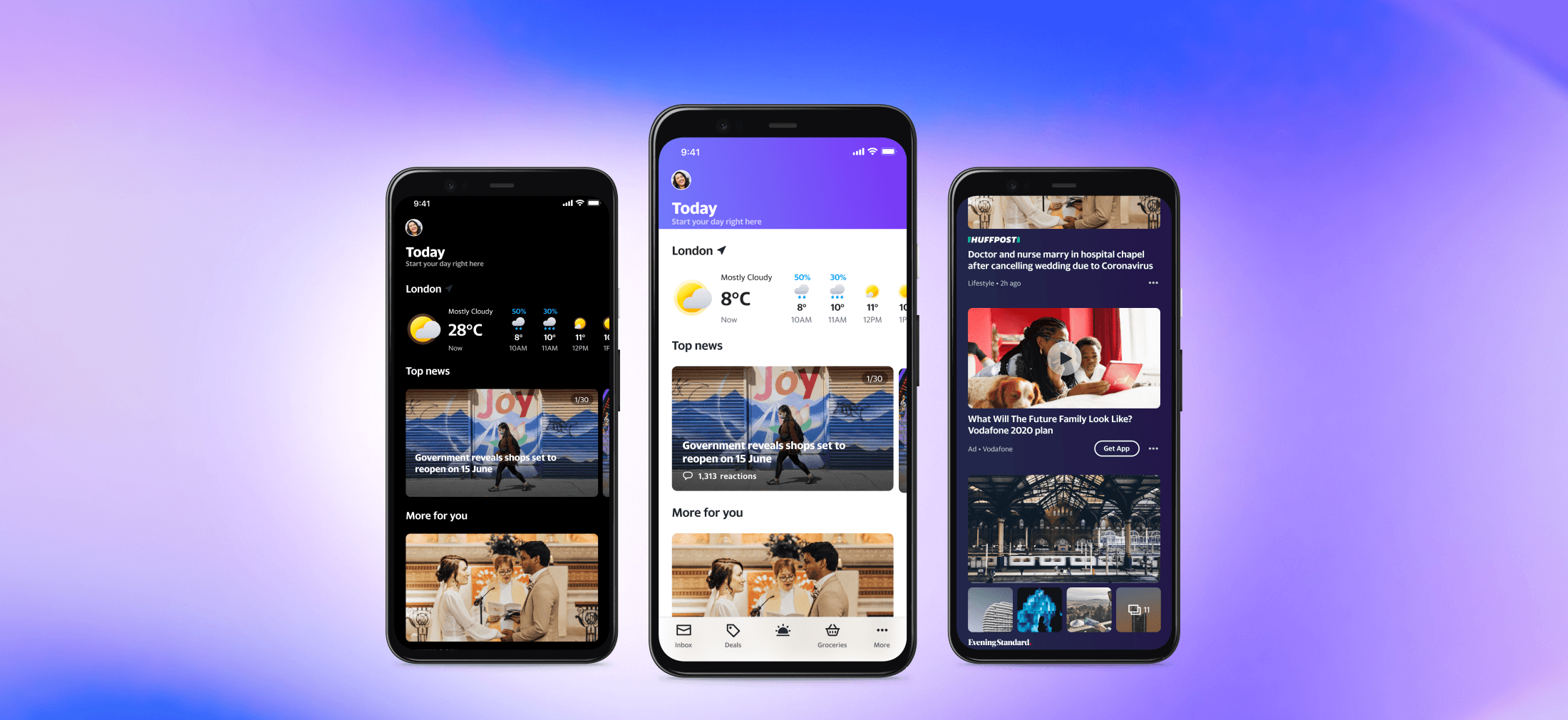
Hero image: three screensshots for Yahoo Mail Today Tab in light and dark themes.

When

2020 - 2022

Role

Lead designer
- Interaction Design
- Visual Design
- Prototype

Team

1 Project Manager

4 Mobile App Developers

2 Researchers

1 Design Manager in Taiwan

1 Design Director in U.S.

When

2020 - 2022

Role

Lead designer
- Interaction Design
- Visual Design
- Prototype

Team

1 Project Manager

4 Mobile App Developers

2 Researchers

1 Design Manager in Taiwan

1 Design Director in U.S.

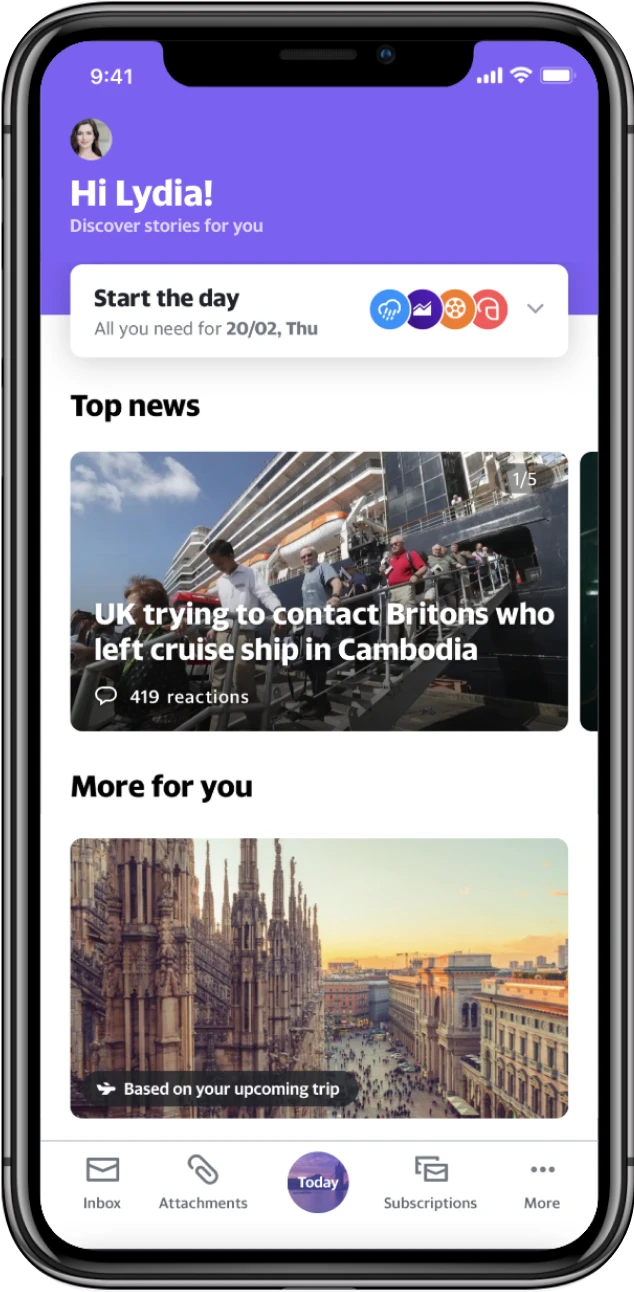
Evolve Yahoo Mail from a communication tool into the personalized content hub that powers users' daily routines.

Evolve Yahoo Mail from a communication tool into the personalized content hub that powers users' daily routines.

I led the design of the personalized news experience in Yahoo Mail through rapid iteration in rolling research, driving product launch across 30 global markets.

I led the design of the personalized news experience in Yahoo Mail through rapid iteration in rolling research, driving product launch across 30 global markets.

30

Global Markets Launch

Global Markets Launch

Today tab was launched across โ€จโ€จ30 global markets in Oct 2020.

Today tab was launched across โ€จโ€จ30 global markets in Oct 2020.

52.5%โ†‘

Time-Spend

Time-Spend

Users who used Today tab have increase engagement (TS/UU) 52.5% with the app.

Users who used Today tab have increase engagement (TS/UU) 52.5% with the app.

89%

Retention Rate

Retention Rate

Today tab usersโ€™ D7 Retention rate (4 points above the app baseline).

Today tab usersโ€™ D7 Retention rate (4 points above the app baseline).

Background

Background

Launched in 1997, Yahoo Mail serves millions of daily users globally. However, in recent years, Mail became peopleโ€™s personal media folder โ€” Users receive more messages containing content rather than person-to-person communication.

Launched in 1997, Yahoo Mail serves millions of daily users globally. However, in recent years, Mail became peopleโ€™s personal media folder โ€” Users receive more messages containing content rather than person-to-person communication.

Yahoo Mail explorations based on the concept of โ€œMail as a personal media folderโ€œ.

Yahoo Mail explorations based on the concept of โ€œMail as a personal media folderโ€œ.

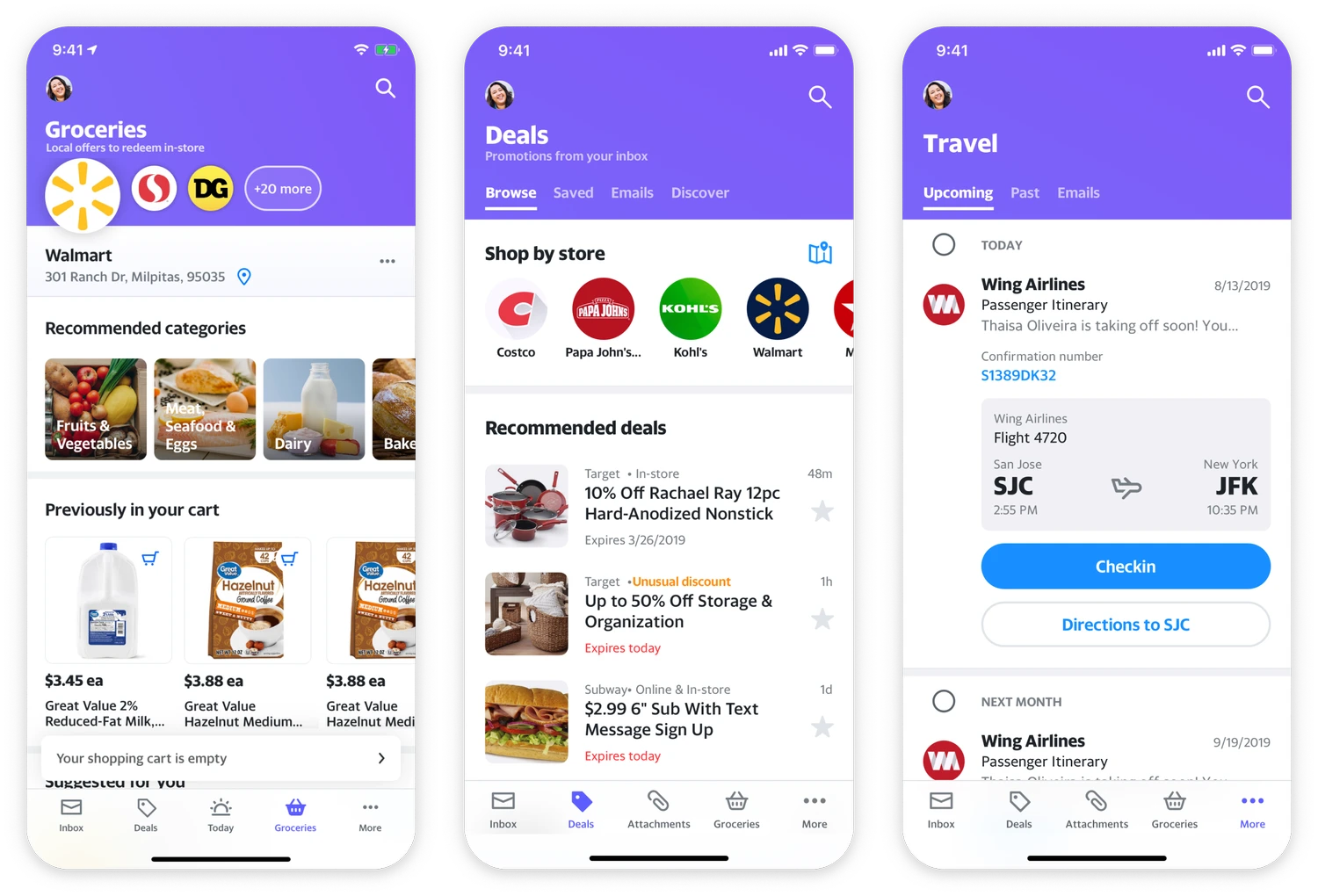
Meanwhile, our research revealed a rising business model in APAC: Super App. Grab, WeChat, and Line, they set new expectations for integrated, all-in-one experiences.

Meanwhile, our research revealed a rising business model in APAC: Super App. Grab, WeChat, and Line, they set new expectations for integrated, all-in-one experiences.

12 logos to demonstrate Super App successful apps

Super App successful cases

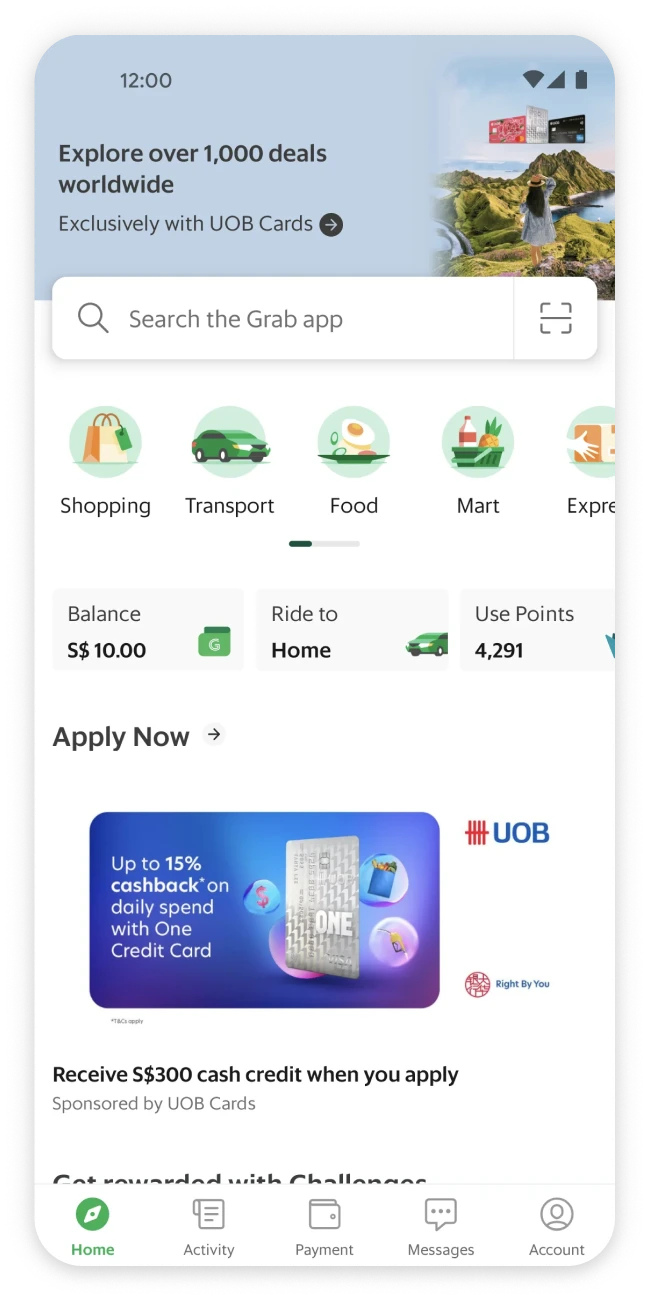
Grab App: Home page

Grab App: Home page

We believe that Yahoo Mail can serve as an ecosystem, where users explore diverse types of contents, starting from our core competence and strongest brand asset: News.

We believe that Yahoo Mail can serve as an ecosystem, where users explore diverse types of contents, starting from our core competence and strongest brand asset: News.

Collaborating with Global Teams

Collaborating with Global Teams

For this project, I partnered with two teams between the US and Taiwan.

For this project, I partnered with two teams between the US and Taiwan.

To bridge the collaboration, I initiated regular sync-up meetings with the US team designers, and guided the product manager and engineers in Taiwan team to apply the global design system.

To bridge the collaboration, I initiated regular sync-up meetings with the US team designers, and guided the product manager and engineers in Taiwan team to apply the global design system.

Taiwan TeamDesign ManagerResearcherProduct ManagerEngineersUS TeamDesign DirectorResearcherEngineersMEDesigner

Design Process

Design Process

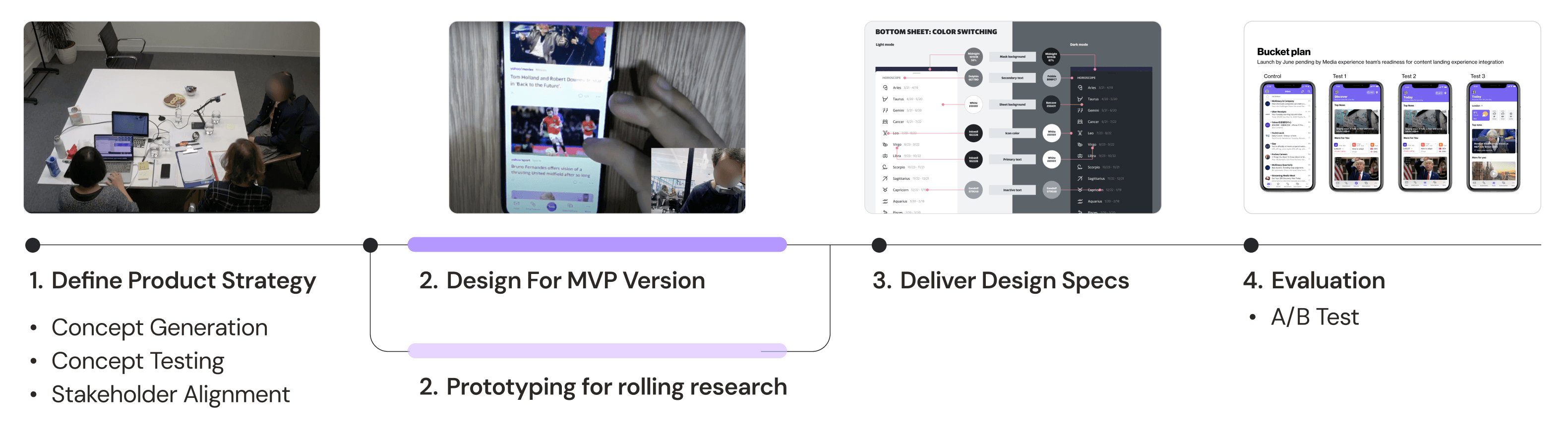
I designed two versions in parallel โ€” an MVP and prototypes for rolling research. We validated both through A/B testing and selected the final version for launch.

I designed two versions in parallel โ€” an MVP and prototypes for rolling research. We validated both through A/B testing and selected the final version for launch.

Design process: First, define product strategy. Second, design MVP version and prototypes for rolling research. Third, deliver design specs for both versions. Last, evaluation through a/b testing

Method

Rolling Research: I collaborated with 2 UX researcher to validate 5 design concepts over a 3-month bi-weekly qualitative user research. Our findings directly shaped the product value proposition and design direction.

Rolling Research: I collaborated with 2 UX researcher to validate 5 design concepts over a 3-month bi-weekly qualitative user research. Our findings directly shaped the product value proposition and design direction.

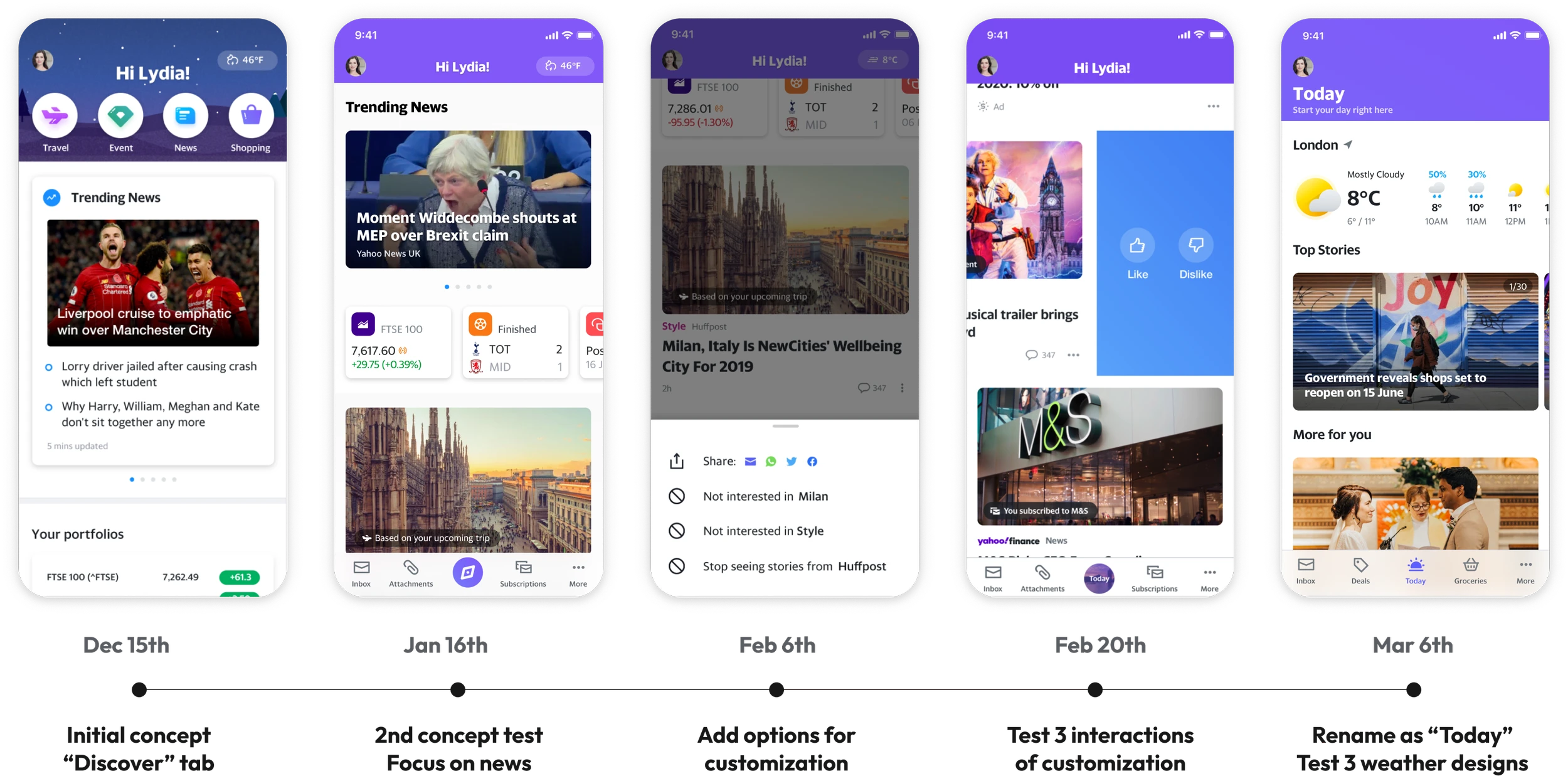
Five design iterations throughout the study.

Design iterations throughout the study.
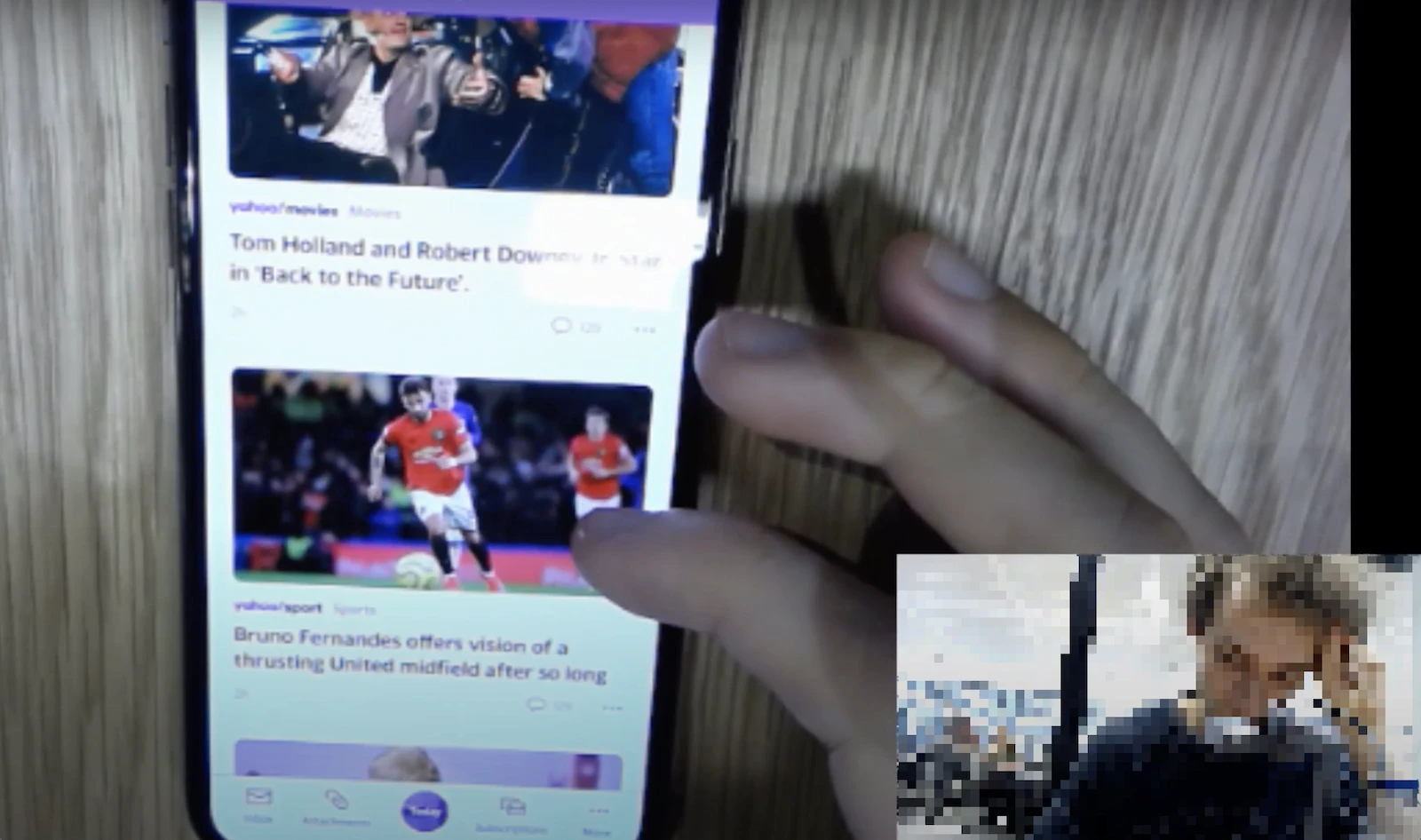
I observed the user interview conducted in the UK remotely.

I observed the user interview conducted in the UK remotely.

Research Finding #1

Today tab as my news: Users seek for explicit control over their content feed. Through the rolling study, I explored different dimensions of customization.

Today tab as my news: Users seek for explicit control over their content feed. Through the rolling study, I explored different dimensions of customization.

User Need

"Is there an option where you can change what you receive and what you see?"
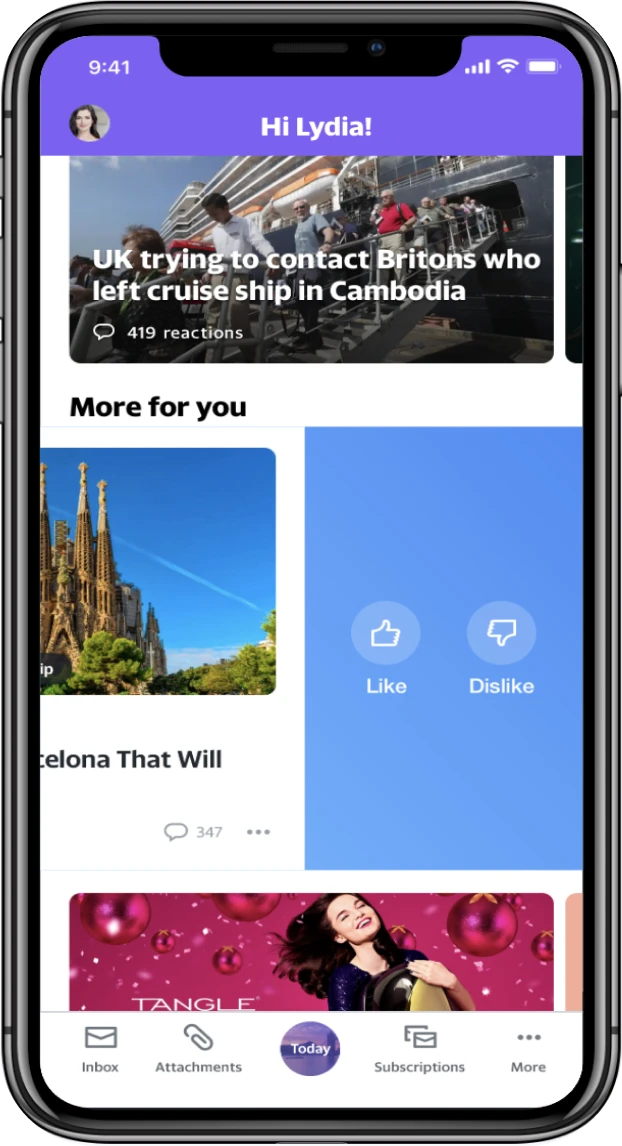
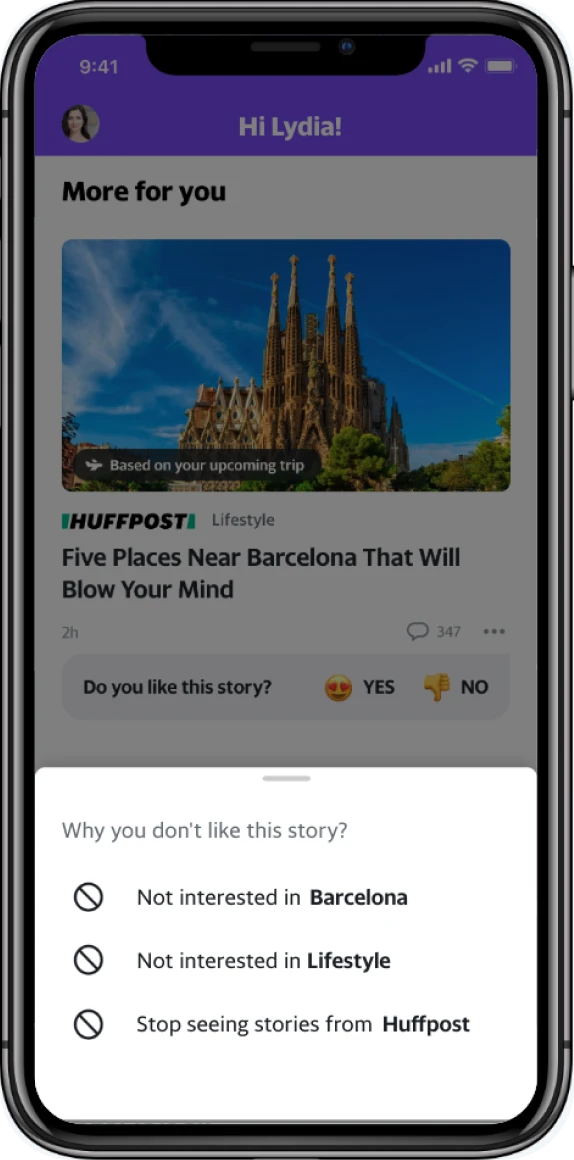
Proposal A: Like and dislike options

Proposal A

Like and dislike options

User Need

โ€œI want a way to say I never want to see that publication.โ€

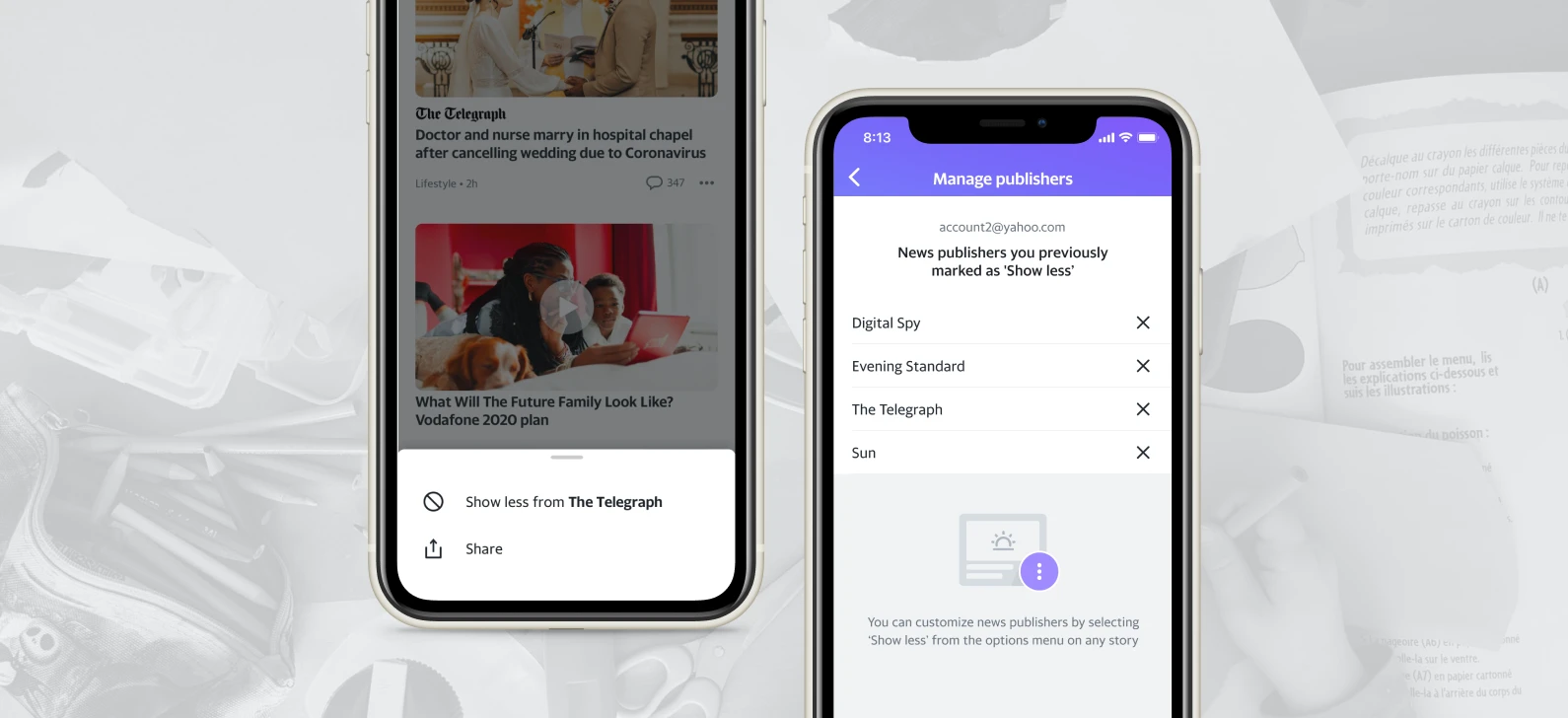
Proposal B: Control over news sources

Proposal B

Control over news sources

User Need

โ€œ[I am] sick of sports and politics. I donโ€™t want disasters and killings. But Iโ€™d love to see something make me feel nice. A big event. A nice offer. A nice place to go...โ€

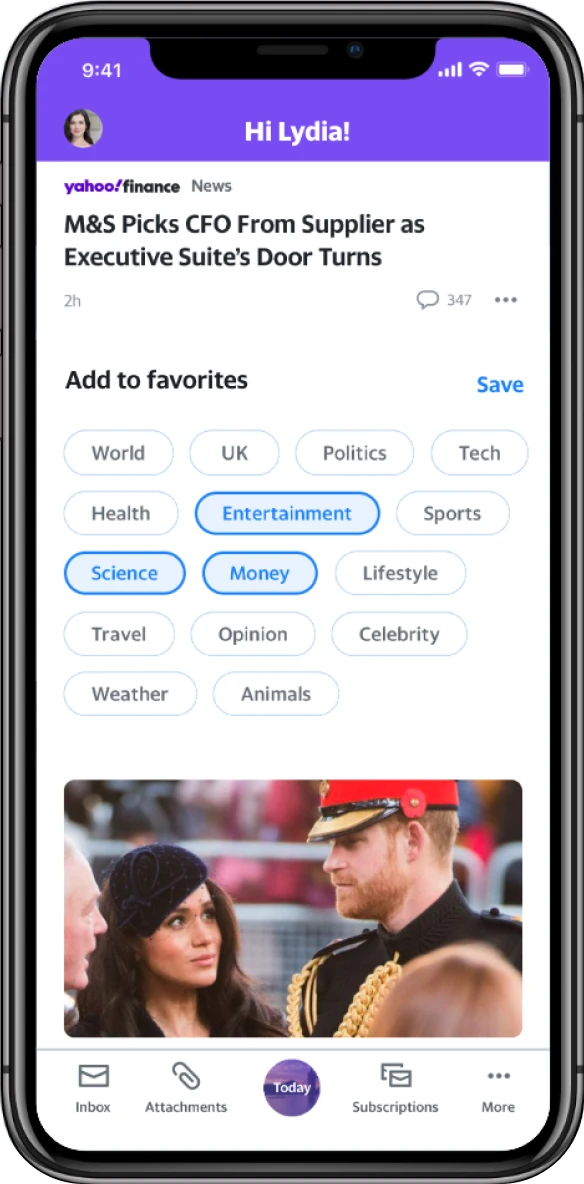
Proposal C: Add favorite topics

Proposal C

Add favorite topics

Final Design: I designed a MVP version focusing on content control. This streamlined feature meets both user needs and technical constraints.

Final Design: I designed a MVP version focusing on content control. This streamlined feature meets both user needs and technical constraints.

Users can manage and block specific news publishers from their content stream.

Users can manage and block specific news publishers from their content stream.

Research Finding #2

Weather forecast as an essential tool to prepare for the day. Users rely on services like BBC Weather and the Met Office to prepare for their day. To address this need, I iterated 3 weather module designs.

Weather forecast as an essential tool to prepare for the day. Users rely on services like BBC Weather and the Met Office to prepare for their day. To address this need, I iterated 3 weather module designs.

Proposal A

Shortcut on navigation bar

Proposal A: Shortcut on navigation bar

User Testing Result

Users struggled to find content due to small text size and couldn't get enough weather details.

Proposal B

Expandable utility module

Proposal B: Expandable utility module

User Testing Result

Users wouldn't interact with the expandable module and missed the weather details.

Proposal C

Detailed weather card

Proposal C: Detailed weather card

User Testing Result

Users appreciated the detailed weather information but wanted to see precipitation forecasts as well.
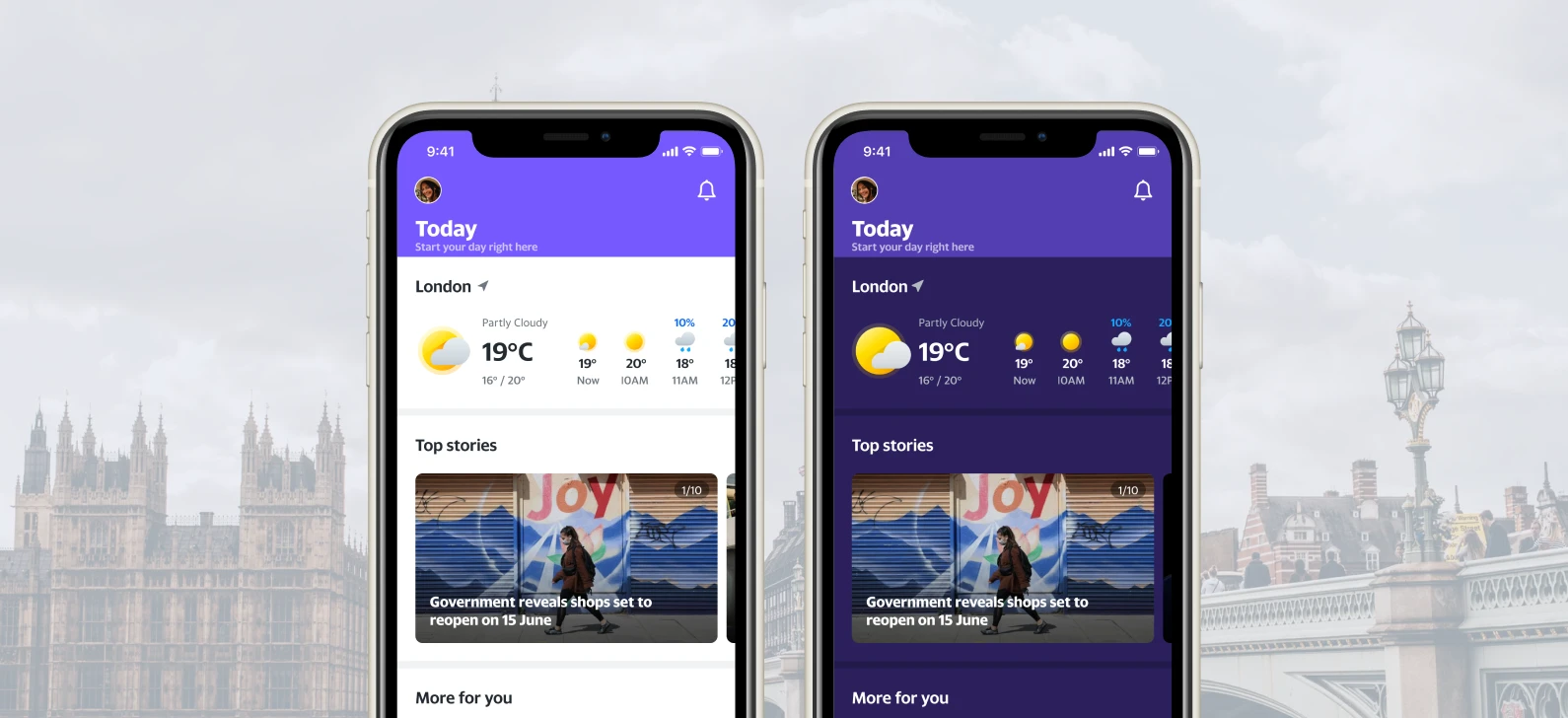
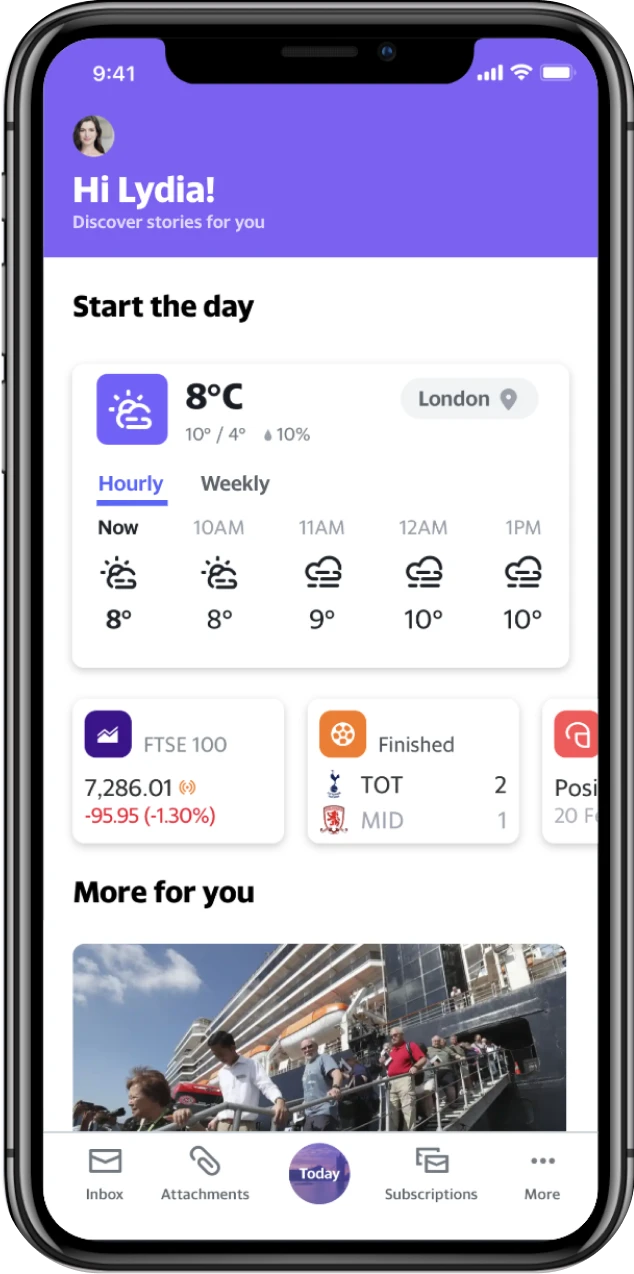
Final Design: I designed a scrollable weather module that maintain visibility for news content while still providing essential weather information.

Final Design: I designed a scrollable weather module that maintain visibility for news content while still providing essential weather information.

A compact, scrollable weather module on top of the Today tab.
A compact, scrollable weather module on top of the Today tab.
Inclusive Design

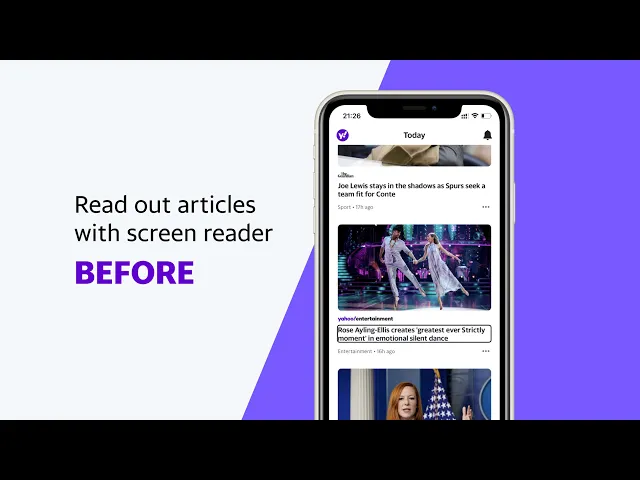
Drive accessibility for visually impaired users. I collaborated with 4 engineers and global editorial teams to redefine content structure and rewrite text label for screen reader.

Drive accessibility for visually impaired users. I collaborated with 4 engineers and global editorial teams to redefine content structure and rewrite text label for screen reader.

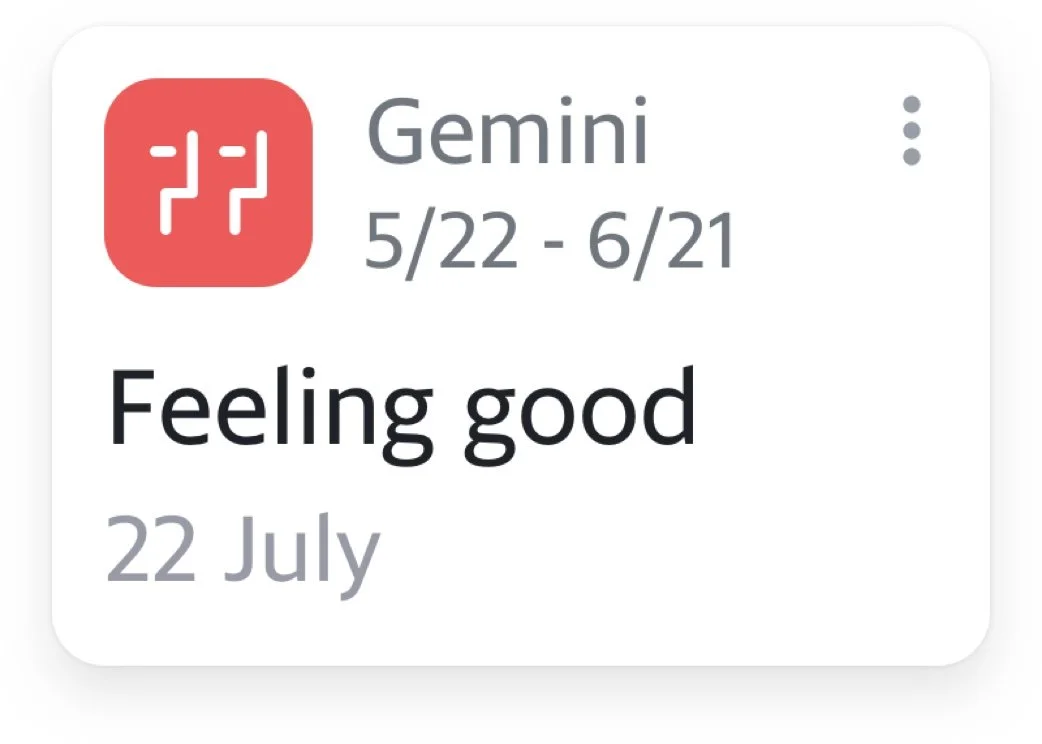
๐Ÿ”Š Readout Before formatting

๐Ÿ”Š Readout Before formatting

"Horoscope icon, Gemini, 5 of 22, minus, 6 of 21. Feeling good, 22 July."

"Horoscope icon, Gemini, 5 of 22, minus, 6 of 21. Feeling good, 22 July."

๐Ÿ”Š After formatting

๐Ÿ”Š After formatting

"Horoscopes, Gemini, Prediction for 22nd of July. Feeling good."

"Horoscopes, Gemini, Prediction for 22nd of July. Feeling good."

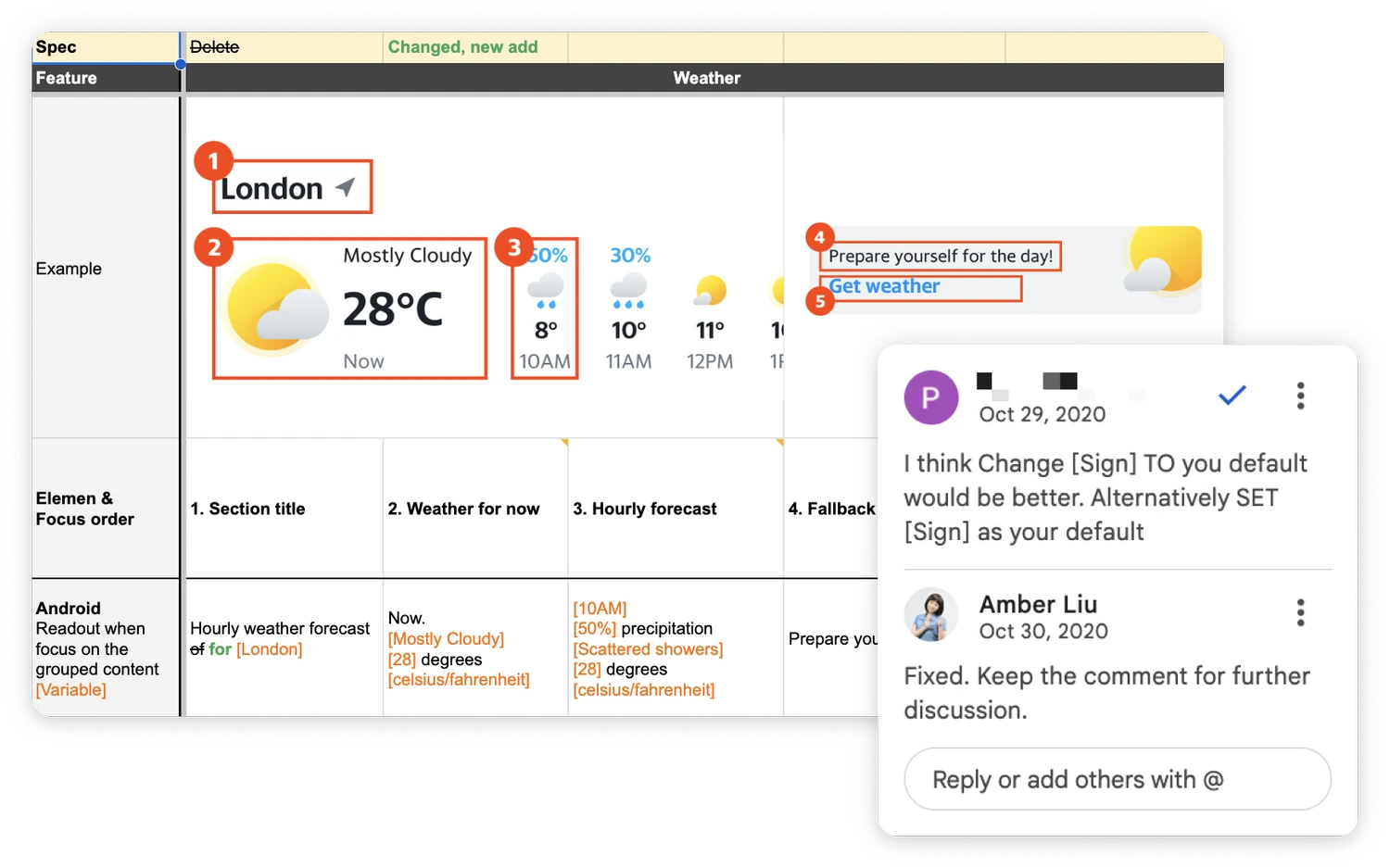
I created a shared document to collaborate with our international editors, defining content order, format, and screen reader-friendly descriptions.

I created a shared document to collaborate with our international editors, defining content order, format, and screen reader-friendly descriptions.

I used Google Spreadsheets as the shared document.
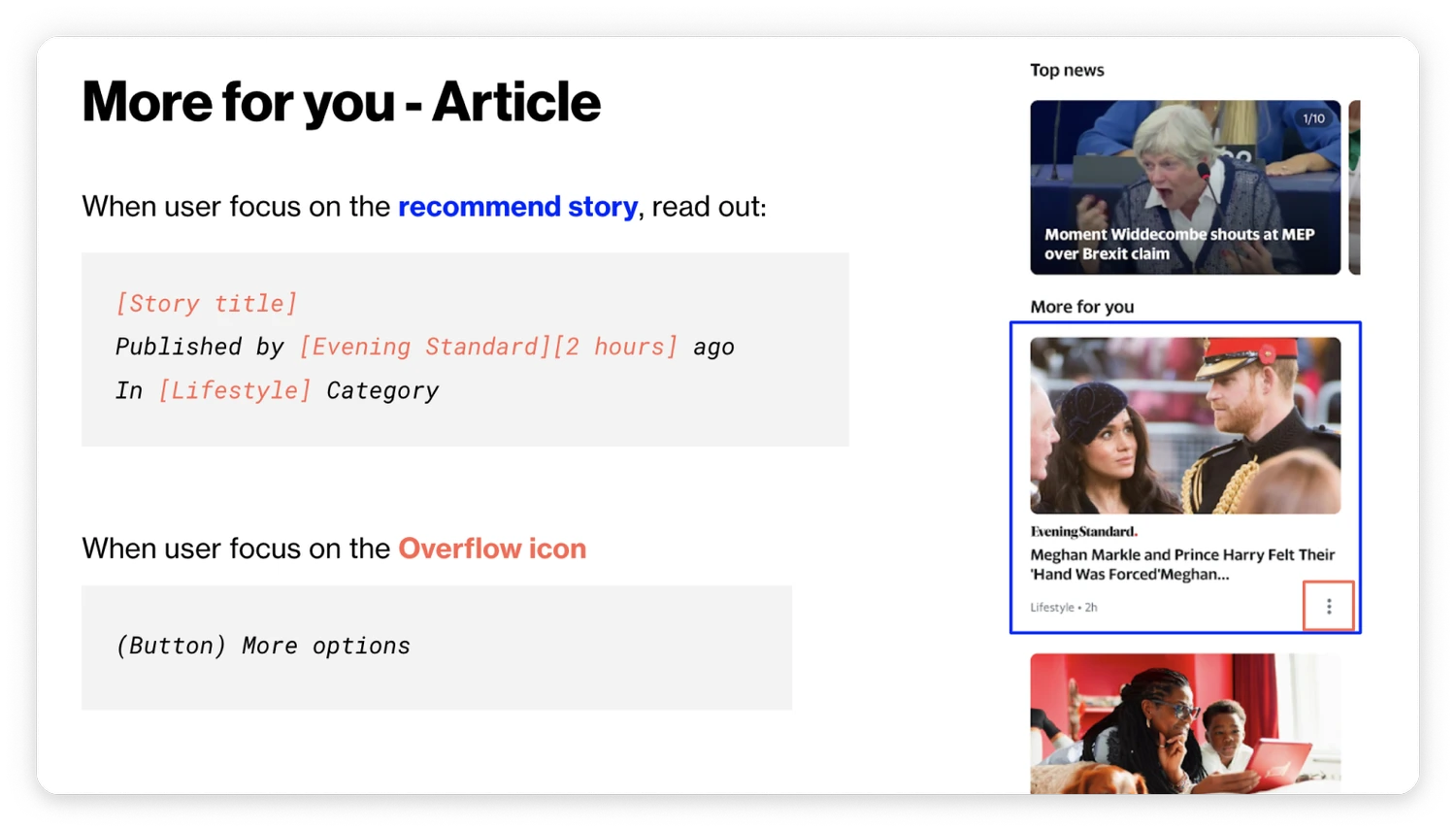
I created a guideline for the developers on how to implement the focus area and the content format.

I created a guideline for the developers on how to implement the focus area and the content format.

Defining focus states and readout behavior.
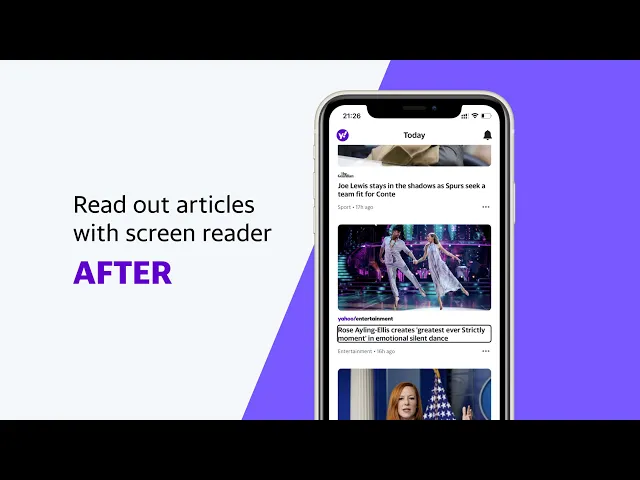
Readout Examples

Readout Examples